

Available on: Starter+ | Role: Admin+ | Status: Generally Available
Overview
External source connections let you pull data from platforms your organization already uses — Google Drive, Confluence, SharePoint, Jira, GitHub, and hundreds more. Data syncs automatically via pre-built connectors.Connecting an External Source
Discover Connectors
Navigate to Workspace > Data Connections > Discover. Browse the connector catalog or search by name.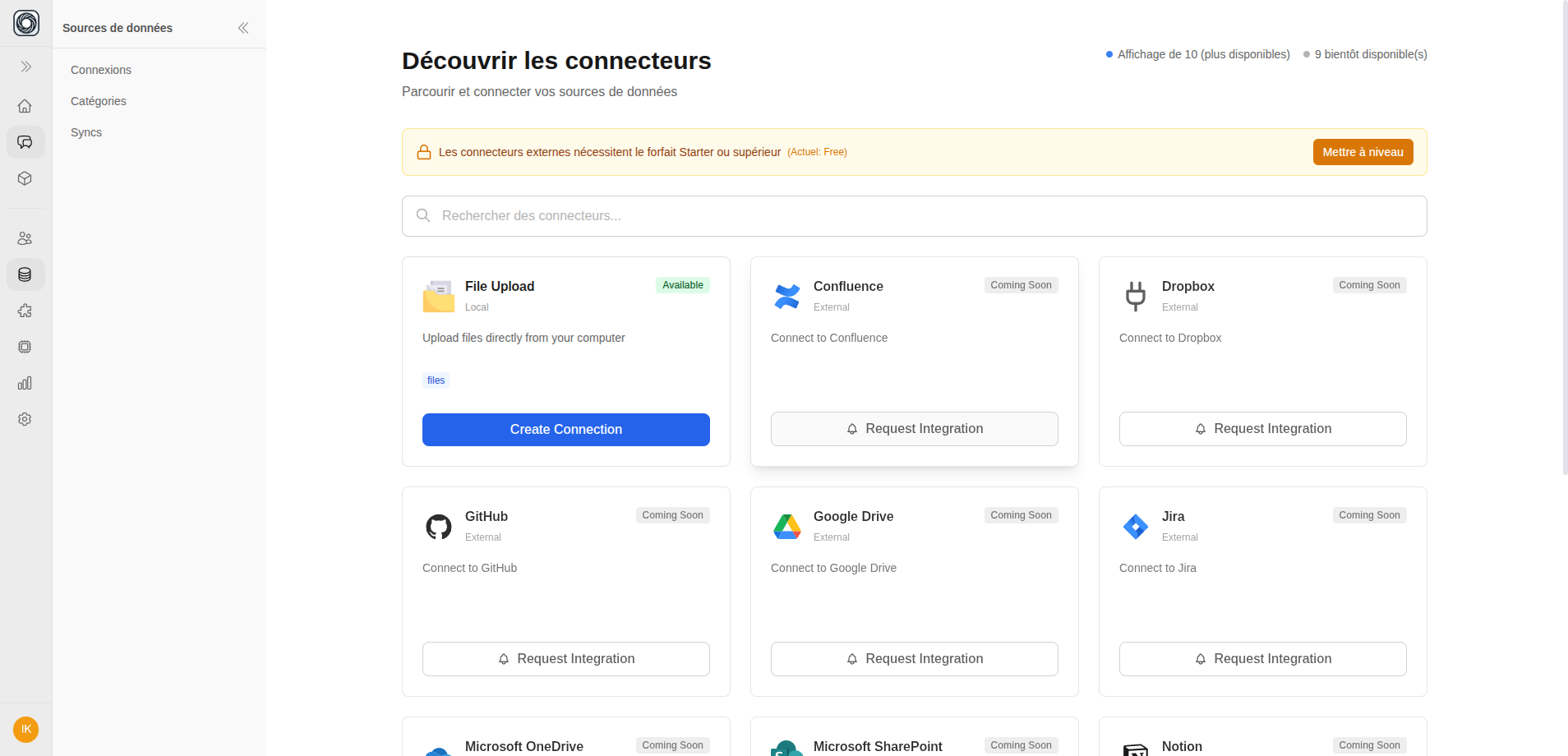
- Available — Ready to connect
- Coming Soon — Planned, you can request early access
Configure the Connection
Select a connector and provide the required configuration:
- Connection name — A descriptive label
- Credentials — OAuth sign-in or API key, depending on the source
- Stream selection — Choose which data streams to sync (e.g., specific folders, projects, or spaces)
Initial Sync
After configuration, the connection begins its first sync. This pulls data from the external source and processes it for AI use.The sync progress shows in the Syncs dashboard.
Browse connectors →
Open the connector catalog and start connecting an external source
Available Connectors
The catalog includes connectors for:| Category | Examples |
|---|---|
| Productivity | Confluence, Notion, Google Docs |
| Storage | Google Drive, SharePoint, Dropbox, OneDrive |
| Developer | GitHub, GitLab, Jira |
| CRM | Salesforce, HubSpot |
| Communication | Slack, Microsoft Teams |
| Other | Custom APIs, databases |
Sync Behavior
- Incremental sync — Only new and changed data is pulled (CDC — Change Data Capture)
- Full sync — Complete refresh of all data from the source
- Sync schedule — Configurable automatic sync intervals
- Manual sync — Trigger a sync on demand