

Available on: All plans | Role: All users can connect their own apps | Status: Generally Available
Overview
Connected Apps are reusable credentials (OAuth or API key) for external applications — Gmail, Google Calendar, Slack, CRMs, and more. Each user connects their own apps, and they become available as connection slots in AI Boxes, enabling automated workflows to read from and interact with external services on your behalf.Connected Apps vs. Data Connections: Connected Apps are credentials for interactive applications (Gmail, Slack, CRMs) used exclusively in AI Box automations. Data Connections bring in documents and data sources for AI-powered search. For example, Google Drive as a Data Connection syncs documents for search, while Google Drive as a Connected App lets Boxes create and modify files.
How It Works
Browse the Catalog
Navigate to Workspace > Connected Apps > App Catalog to see all available integrations.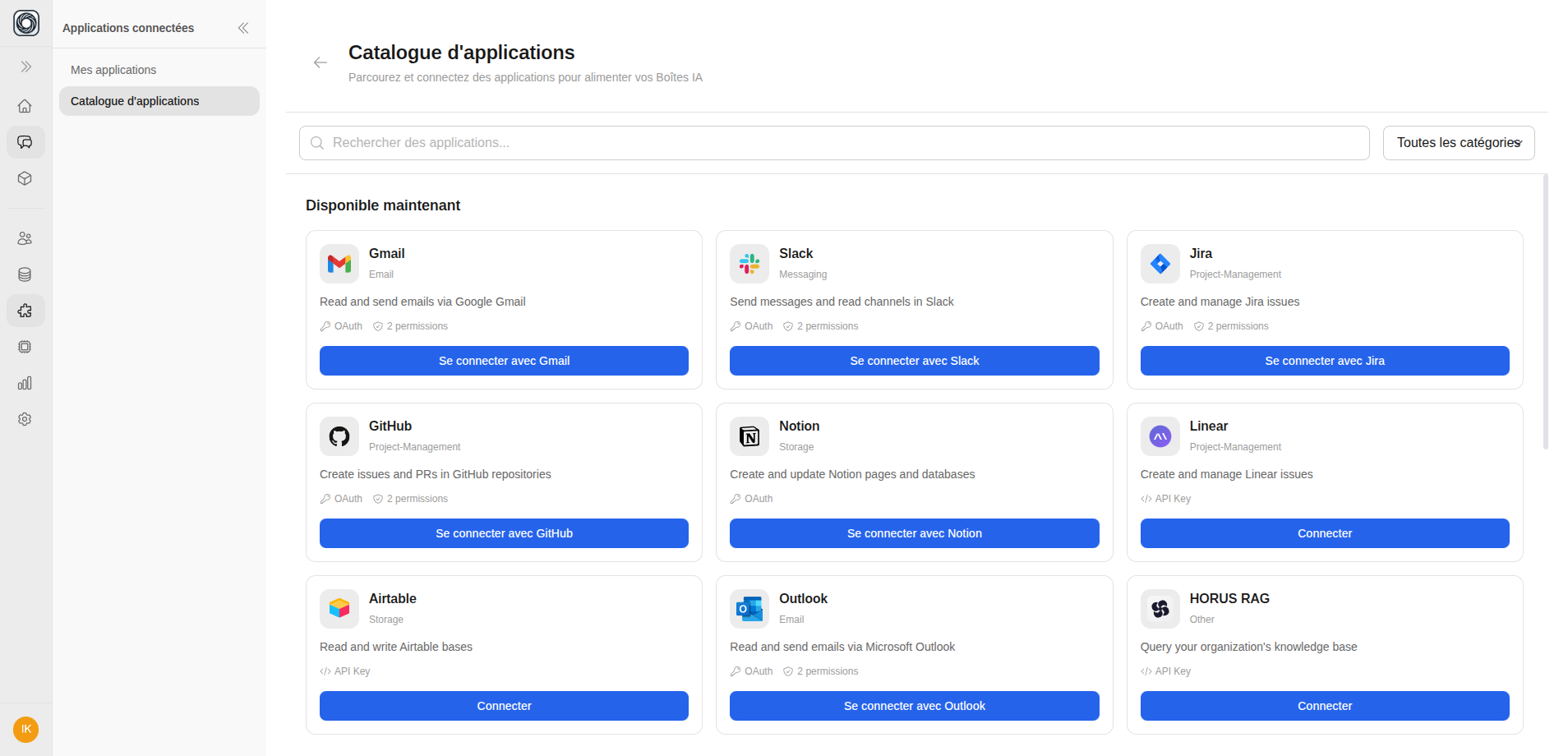
Connect an App
Click Connect on any available app. The authentication method depends on the app:
- OAuth — Opens a secure popup to sign in (Gmail, Slack, GitHub, etc.)
- API Key — Enter your API key
- Credentials — Enter username and password
Browse the app catalog →
Open the App Catalog and connect your first external application
Available App Categories
| Category | Examples |
|---|---|
| Gmail, Outlook | |
| Calendar | Google Calendar |
| Communication | Slack, Microsoft Teams |
| Project Management | Jira, Asana, Trello |
| CRM | Salesforce, HubSpot |
| Storage | Google Drive, Dropbox |
| Developer | GitHub, GitLab, Notion |
| Analytics | Various analytics tools |