

Available on: All plans | Role: All users | Status: Generally Available
Overview
The Box Marketplace is where you discover, evaluate, and install AI Boxes. Browse by category, search by keyword, compare features, and install in minutes through a guided wizard.Browsing the Marketplace
Navigate to AI Boxes > Marketplace to explore available Boxes.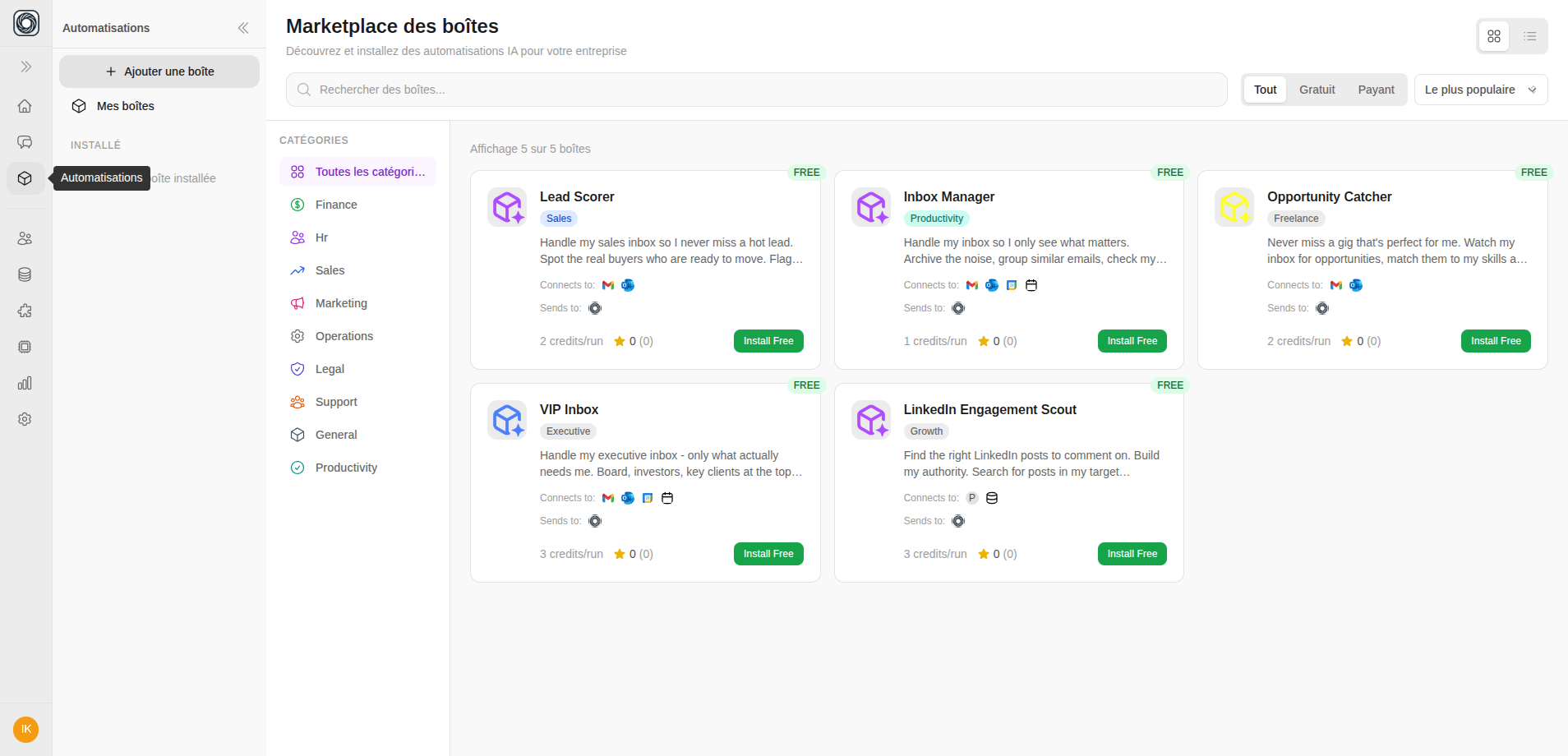
Search & Filter
| Control | What It Does |
|---|---|
| Search | Find Boxes by name, description, or category |
| Category sidebar | Filter by business domain (Finance, HR, Sales, etc.) |
| Price filter | All / Free / Paid |
| Sort | Most Popular, Highest Rated, Newest, Price |
| View toggle | Switch between grid and list views |
Box Cards
Each marketplace card shows:- Box name, icon, and category
- Short description
- Credit cost per run
- Star rating and install count
- “Installed” badge if already installed
Viewing Box Details
Click a Box card to see the full detail page:- Detailed description (markdown)
- Required connection slots (which apps you’ll need)
- Workflow steps (how the Box processes data)
- Input/output definitions
- Version number and reviews
Installing a Box
Click Install to open the adaptive Install Wizard:Overview
Review what the Box does, what connections it needs, and the estimated credit cost per run.
Connect Apps
For each required connection slot, link your app account. If you haven’t connected the app yet, you’ll be prompted to do so.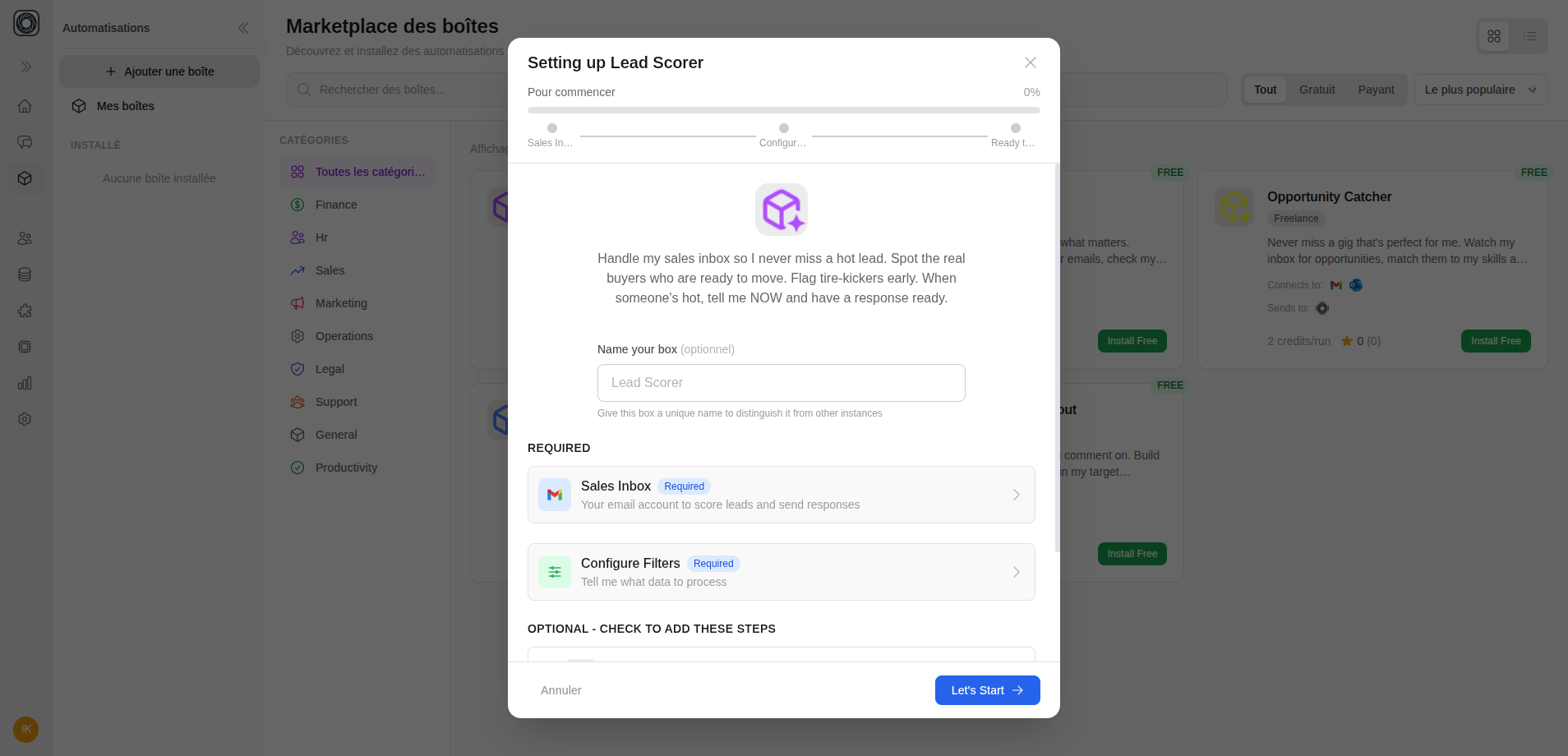
Configure Outputs
Choose where results are delivered:
- Show in App — View results in Singularity AI
- Slack — Send results to a Slack channel
- Email — Get results via email
Set Filters
Configure input filters to scope what the Box processes (e.g., only emails from specific domains, only documents with certain tags).
Advanced Settings
Optionally configure:
- Schedule — Set up automatic runs
- AI Model — Choose which model to use
- Notifications — Alert preferences
Browse the marketplace →
Open the AI Box marketplace and install your first Box